

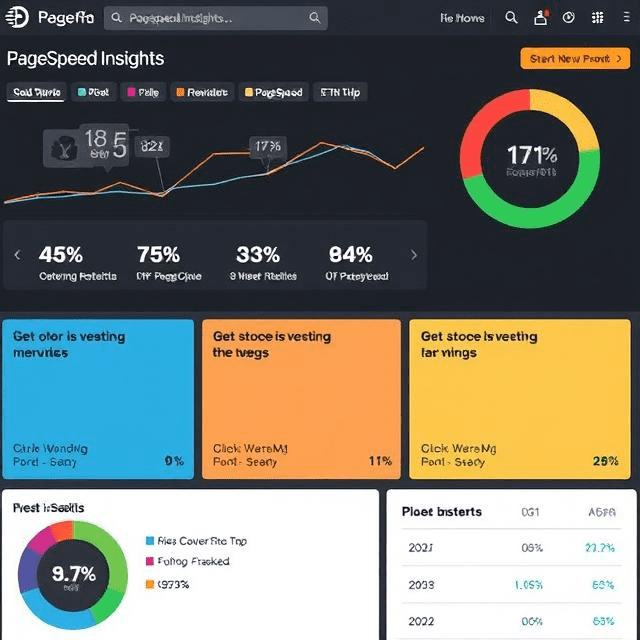
In today’s fast-paced digital world, website speed has become a critical factor in providing users with a seamless browsing experience. Whether you’re running an e-commerce site, a blog, or a corporate platform, your website’s loading time can significantly impact both user engagement and SEO rankings. Fortunately, there are tools available to help you optimize your site’s performance, and one of the most effective tools for this purpose is PageSpeed Insights.
In this blog, we’ll take an in-depth look at PageSpeed Insights, exploring how it works, its benefits, and how you can use it to improve your website’s speed and overall user experience.
What is PageSpeed Insights?
PageSpeed Insights is a free tool provided by Google that allows website owners, developers, and digital marketers to analyze the performance of a webpage. It evaluates how quickly a page loads and provides actionable recommendations to optimize its speed. The tool analyzes the content of the page and scores it based on both desktop and mobile performance.
The PageSpeed Insights tool offers both an overall performance score and suggestions for improvements. These recommendations may include optimizing images, minimizing JavaScript, leveraging browser caching, and more. By following these recommendations, you can ensure that your website performs well across devices and improves user experience.
Why is Website Speed Important?
Website speed is more than just a convenience for users; it is a critical factor in user retention, search engine rankings, and overall conversion rates. Studies have shown that users expect pages to load within a few seconds. If a site takes too long to load, users are likely to abandon it and turn to a competitor’s site. In fact, Google has reported that a one-second delay in page load time can reduce conversions by 7%.
Additionally, PageSpeed Insights also plays a vital role in SEO. Google has made it clear that site speed is a ranking factor. Websites that load faster tend to rank higher on search engine results pages (SERPs). By using PageSpeed Insights, you can ensure that your site meets Google’s performance standards and stays ahead of the competition.
How Does PageSpeed Insights Work?
PageSpeed Insights uses both lab data and field data to assess the performance of a webpage. The lab data is collected in a controlled environment, simulating different network conditions and device capabilities, while the field data comes from real user experiences. This combination allows PageSpeed Insights to give a more comprehensive and accurate performance report.
The tool analyzes several key aspects of your website’s performance, such as:
- First Contentful Paint (FCP) – The time it takes for the first piece of content (such as text or images) to appear on the screen.
- Largest Contentful Paint (LCP) – The time it takes for the largest visible content (usually an image or a large block of text) to load.
- Time to Interactive (TTI) – The time it takes for the page to become fully interactive, meaning users can click buttons, scroll, and input data.
- Total Blocking Time (TBT) – The total time during which the page is blocked and users cannot interact with the site.
- Cumulative Layout Shift (CLS) – Measures visual stability and how much the page layout shifts while it loads.
By providing data on these key metrics, PageSpeed Insights helps you pinpoint areas that need improvement and provides actionable suggestions for optimization.
Understanding the PageSpeed Insights Report
Once you enter a URL into PageSpeed Insights, it generates a report that breaks down the performance score into various sections. The score ranges from 0 to 100, with higher scores indicating better performance. The report will provide you with:
- Performance Score: A number that reflects the overall speed of your website. A score of 90 and above is considered excellent, while anything below 50 indicates that your website needs significant improvements.
- Lab Data: Detailed metrics on the various performance indicators such as FCP, LCP, TTI, and more.
- Field Data: Real-world user data based on actual usage from the Chrome User Experience Report (CrUX).
- Opportunities: Actionable suggestions to improve page speed. This could include image optimization, reducing JavaScript execution time, or implementing lazy loading.
- Diagnostics: A list of potential issues affecting your site’s performance, such as inefficient resource loading or excessive third-party scripts.
By analyzing this data, you can gain valuable insights into how well your website performs and which areas need improvement.
How to Use PageSpeed Insights to Improve Website Speed
Now that we understand how PageSpeed Insights works, let’s dive into how you can use it to improve your website’s speed. Here are some steps to follow:
1. Run a Performance Test
The first step is to run a performance test using PageSpeed Insights. Simply visit the tool’s website, enter your URL, and click on “Analyze.” In just a few seconds, the tool will generate a report with your website’s performance score and specific recommendations.
2. Identify Areas for Improvement
The PageSpeed Insights report will highlight areas where your website could perform better. For example, it might suggest image optimization, reducing server response time, or deferring JavaScript. By addressing these issues, you can significantly improve your website’s speed.
3. Optimize Images
One common recommendation from PageSpeed Insights is to optimize images. Large, uncompressed images can slow down page load times. Use tools like Photoshop, TinyPNG, or ImageOptim to compress your images before uploading them to your site. Additionally, consider using modern image formats such as WebP for better compression and faster loading.
4. Minimize JavaScript and CSS
JavaScript and CSS files can be large and contain unnecessary code. PageSpeed Insights may recommend minifying these files to remove whitespace, comments, and unused code. You can use tools like UglifyJS for JavaScript and CSSNano for CSS to minimize these files.
5. Leverage Browser Caching
Another recommendation from PageSpeed Insights might be to leverage browser caching. This involves storing certain elements of your website in a visitor’s browser so that they don’t need to be reloaded on subsequent visits. This can significantly speed up your site for returning users.
6. Reduce Server Response Time
If your PageSpeed Insights report highlights a slow server response time, it may be time to optimize your hosting environment. This could involve upgrading your hosting plan, using a content delivery network (CDN), or implementing server-side caching solutions.
7. Eliminate Render-Blocking Resources
PageSpeed Insights may identify render-blocking resources—such as JavaScript and CSS files—that delay the rendering of your page. You can fix this by deferring or asynchronously loading these files so that the page content is displayed as soon as possible.
8. Implement Lazy Loading
Lazy loading is a technique that only loads images or other resources when they are about to be seen by the user (i.e., when they scroll to that part of the page). This can drastically reduce initial load times and is a common recommendation from PageSpeed Insights.
The Importance of PageSpeed Insights for SEO
In addition to improving user experience, PageSpeed Insights is also crucial for SEO. Google has confirmed that page speed is one of the factors it uses to rank websites. A faster website can help you improve your rankings and attract more organic traffic. Therefore, it is essential to regularly test your website using PageSpeed Insights and make optimizations as needed.
Regularly Monitor Your Website’s Performance
Website performance isn’t a one-time task. It’s essential to continuously monitor your site’s speed, especially as you add new content, features, or plugins. By using PageSpeed Insights regularly, you can ensure that your website stays fast and optimized over time.
Conclusion
In today’s competitive online landscape, website speed is a crucial factor in delivering an exceptional user experience and improving SEO rankings. PageSpeed Insights is an invaluable tool for website owners, developers, and marketers to measure and optimize their site’s performance. By following the recommendations provided by PageSpeed Insights, you can ensure that your website loads faster, performs better, and provides a seamless experience for your users.
Whether you’re a business owner, blogger, or developer, leveraging PageSpeed Insights to enhance your website’s speed should be a top priority. With the right optimizations, your site can stand out in search engine results, attract more visitors, and improve conversion rates. Start using PageSpeed Insights today and take your website performance to the next level.